
Questions this guide answers
Can a planner change my house setup?
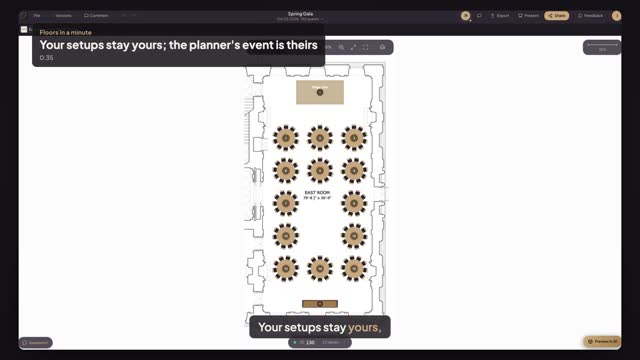
No. When a planner starts from one of your setups, from your venue page or an accepted booking, Floors makes them their own copy in their own event. They can move and delete anything you didn't lock, and your setup stays exactly as you saved it for the next planner.
Can the venue see or edit the planner's event?
The event belongs to the planner. On an accepted booking your team can open it from Bookings to view it and pin comments, and when the planner presses Send to venue you can also approve it or ask for changes. Only the planner, and people they invite to edit, change the plan itself.
If I update a setup, do planners' events change?
Only new ones. Updating a house setup changes what planners start from, on your venue page, in the embed and in new bookings. Events a planner already started keep the copy they were made from, so nobody's work is overwritten. Locked items stay locked in every copy.
Transcript
Your setups stay yours, their events theirs.
Alex started the Spring Gala from your gala dinner setup.
Alex deletes two tables. That changes Alex's event, and nothing else.
Back in your venue, open Setups. The gala dinner still has fifteen tables.
Open Bookings and the Spring Gala. Alex has the plan now, and changes happen there.
Press Open plan to see Alex's version. You can comment, but not edit.
Your setup, their event. Nobody overwrites anybody.
Next: plans come to you for review.