
Questions this guide answers
How do planners send their final plan to my venue?
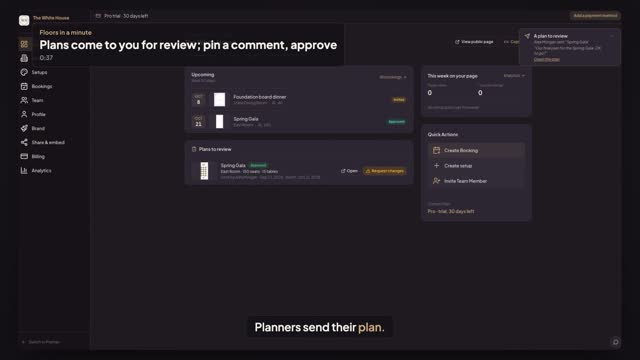
In an event started from your venue, the planner presses Send to venue in the editor, adds an optional note and presses Send. The plan appears on your venue dashboard under Plans to review, marked Waiting for review, with the room, seats, tables and who sent it.
Can I comment on or approve a planner's plan?
Yes. Press Open in Plans to review: the plan opens in comment mode, so you can click the floor and pin a comment, but you can't move anything. Back on the dashboard press Approve, or Request changes with a note. The planner sees the answer on their plan.
Who owns the setups and the planner's event?
Your house setups stay yours: planners start from a copy, so their changes never touch your published setup. The planner's event stays theirs, and sending it to you shares it with your team for comments and approval only. You can't edit it, and they can't edit your setups.
Transcript
Planners send their plan. You comment and approve.
Alex finished the Spring Gala in your East Room.
Alex presses Send to venue, adds a note and presses Send.
On your dashboard, Plans to review shows it, waiting. Press Open.
Click the floor and pin a note for Alex. Comments only, no edits.
Back on the dashboard, press Approve.
Approved. Your setups stay yours, and Alex's event stays Alex's.
Next: claim your venue and get verified.