
Questions this guide answers
How do I ask a planner to change their plan?
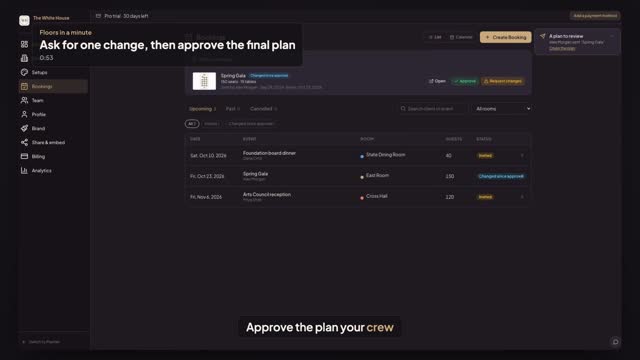
On your venue dashboard or Bookings, find the plan under Plans to review and press Request changes. Type what needs to change, or leave comments pinned on the plan, and press Send request. The planner's plan shows Changes requested with your note, and a Send again button.
How do I approve the final version?
When the planner presses Send again, the plan comes back to Plans to review, waiting. Open it to check the change if you like, then press Approve. The row reads Approved and the planner's pill turns green, so everyone knows which version your team builds.
Can the planner still change the plan after I approve it?
Yes, the event stays the planner's. But the first edit after your approval flips the plan to Changed since approval: the planner's pill says so, with a Send again button, and the plan shows up again in your Plans to review and Bookings. Your earlier approval stays on record, and you can approve again or ask for changes.
Transcript
Approve the plan your crew will build, not an old one.
Alex sent the Spring Gala. One table needs to move first.
On Bookings, press Request changes, say what to fix and press Send request.
Alex gets a note, and the pill says Changes requested, with your words.
Alex moves the table away from the door and presses Send again.
Back on Bookings, the new version waits. Press Approve.
If Alex edits it after that, the pill says Changed since approval, and Alex can send it again.
The earlier approval stays on record, and the plan is back in your Bookings.
Next: a planner asks to move the bar.