
Questions this guide answers
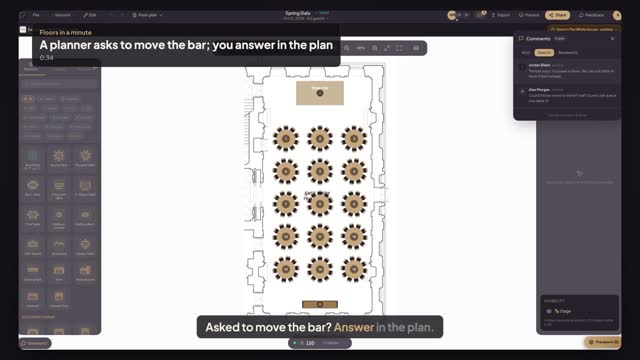
How do I answer a planner's question on their plan?
Open the plan from Plans to review on your venue dashboard and open Comments in the editor header. Choose the planner's question and press Jump to comment to see the item it's about. Then click that item and pin your answer; the planner finds it in Comments, on the same spot.
When do I see a planner's questions?
When the planner sends the plan to your venue. Sending gives your team comment access, so every question pinned on the plan, including ones asked with Ask the venue on a locked item, shows in Comments. After the send, each new comment from the planner also brings your team an in-app notice.
Can I move the item for the planner?
No. Your team has comment access to a planner's plan, not edit access, so you answer with a comment and the planner makes the change. To change what is fixed for every future event, edit your house setup and its Lock for planners setting instead.
Transcript
Asked to move the bar? Answer in the plan.
Alex sent the Spring Gala with a question for you.
In Plans to review, press Open.
Open Comments, choose Alex's question and press Jump to comment: it's on the bar.
Click the bar and pin your answer right next to the question.
Alex opens Comments and finds your answer, on the same bar.
Question and answer, on the bar itself, instead of ten emails.
Next: lock what planners can't move.