
Questions this guide answers
How do I point out a problem in a planner's plan?
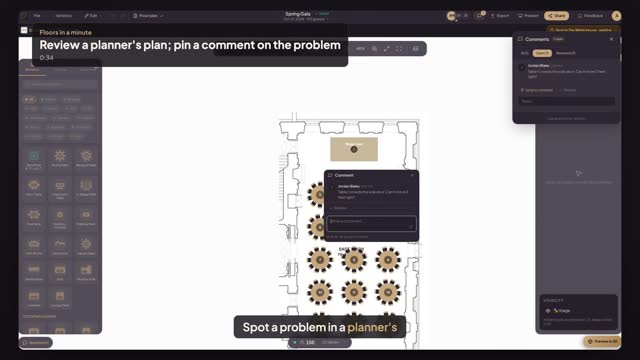
Open the plan from Plans to review on your venue dashboard. It opens in comment mode: click the table or item that's wrong and type your note, and it is pinned on that item. Click the floor instead for a note about a spot, like an aisle.
Where does the planner see my comment?
In their own editor. Comments lists every note with its author and time, and choosing one takes them to the item it's pinned on. Pins also show on the plan itself, so the note sits right where the problem is, and they can reply right in the thread.
Can I change the planner's plan myself?
No. A plan sent to your venue opens with comment access for your team: you can view it, pin comments, approve it or ask for changes, but you can't move or delete anything. The event stays the planner's; your house setups stay yours.
Transcript
Spot a problem in a planner's plan. Pin it right there.
Alex sent the Spring Gala plan for your East Room.
In Plans to review, press Open. You can comment, but not edit.
Table one crowds the side door. Click the table and type your note.
Comments lists it, pinned on table one.
When Alex opens the plan, the note is waiting on that table.
The problem, pinned where it is. No long email.
Next: approve the final plan.