
Questions this guide answers
How do I ask the venue a question on my plan?
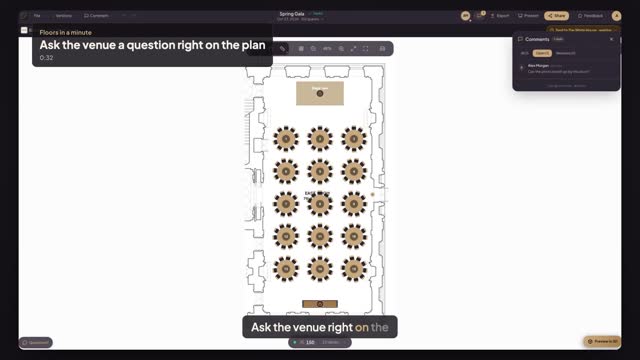
Open the Edit menu in the editor and choose Comment, then click the spot your question is about and type it. The comment is pinned there. To ask about a locked item, click it and press Ask the venue instead. Comments lists every question you pinned.
When does the venue see my comments?
When you press Send to venue. Sending gives the venue team comment access to your plan, so they see every pinned question and can pin their answers, approve the plan or ask for changes. Until then the venue isn't notified. If the venue has accepted your booking, their team can open the plan to read and comment, but not edit.
Can the venue change my plan when they answer?
No. The venue team gets comment access only: they can read your plan and your comments, pin their own, approve it or ask for changes, but they can't move or delete anything. The event stays yours and you keep editing it.
Transcript
Ask the venue right on the plan, where it matters.
Alex wants a photo booth by the East Room's side door.
Open the Edit menu and choose Comment.
Click the spot by the door and type your question.
Comments lists every question you pinned, so nothing gets lost.
Press Send to venue. Your questions go with the plan.
The venue answers with its own pin, right on your plan.
Next: send the final plan for approval.