
Questions this guide answers
What happens when a planner presses Use this setup?
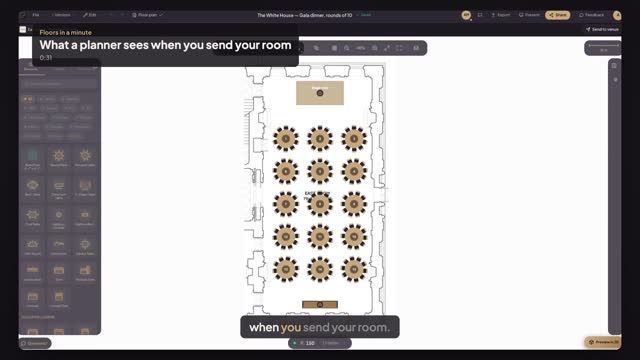
A new event opens in the planner's editor, in your room: your scaled floor plan, the house setup's tables and seats, and a bar naming the space and your venue. The planner changes the layout for their own event; your published setup stays as it is for the next planner.
Do planners pay to design in my venue's rooms?
No. Planners work free in a paying venue's rooms, with no timer. Your venue plan covers it: Starter is $49 a month for one space, Pro $79 for up to 10 spaces, Enterprise $199. Every venue plan starts with a 30-day free trial.
Can planners move my stage or bar?
Not the items your setup fixes. When a planner clicks one, the panel says Locked by venue and explains that the venue fixed it, with an Ask the venue button for a comment. Tables, chairs and everything else stay free to move, so the plan fits their event.
Transcript
What a planner sees when you send your room.
Alex plans events. This is your venue page, as Alex sees it.
Your rooms come with capacity by style and your house setups.
On the gala dinner, Alex presses Use this setup.
The editor opens in your East Room, on your plan. Fifteen tables, ready.
Your stage riser can't be moved. It says Locked by venue, and why.
Alex designs free, in your room, around what you fixed.
Next: your whole venue, moved in an afternoon.