
Questions this guide answers
Does a planner need an account to use my setup?
To look, no: your venue page and every setup's Preview open for anyone. To design in your room, yes: Use this setup asks for a free Floors account. The planner signs up with name, email and a password (or Google or Apple), confirms the email, and comes straight back to your setup, already open in the editor.
What does the planner see after signing up?
Their own event in your room, started from the setup they picked: your to-scale plan, your tables and seats, and the items you locked marked Locked by venue. They don't have to find your page again, and the event is theirs to rename, change and share with their client.
Do planners pay to plan in my room?
No. A free account is enough. While your venue plan is active, planners design in your rooms for free: no timer and no unlock for events in your spaces. They pay only for their own events somewhere else, the same as any Floors planner.
Transcript
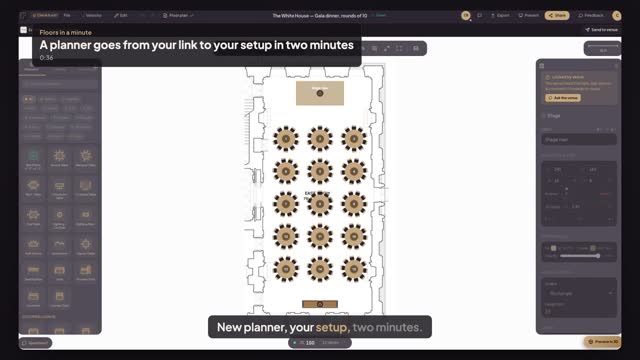
New planner, your setup, two minutes.
Casey got your link and has never used Floors.
On your gala dinner, Casey presses Use this setup.
Floors asks for a free account: name, email, password, then Create Account.
Casey opens the email and taps the link. This page moves on by itself.
And Casey lands in your East Room, on your gala dinner. Fifteen tables, ready.
Your stage stays locked. Casey plans the rest, in your room.
Next: what a planner sees when you send your room.