
Questions this guide answers
How do planners find my venue on Floors.live?
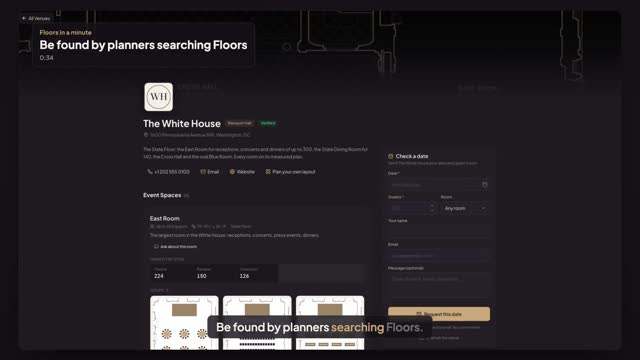
Once your venue page is published, it shows up in the Floors venue directory at floors.live/venues. Planners who search your venue's name or your city see it, marked on Floors, and one click opens your page with your rooms, house setups and Check a date.
Can I give my venue page a cleaner address?
Yes. Open Share & embed in the venue portal and press Change address. Your venue's name is suggested, like floors.live/v/the-white-house; use lowercase letters, numbers and hyphens, press Save address and confirm. Your old link keeps working and forwards to the new one.
What does it cost to be listed?
Your page is part of every venue plan: Starter $49 a month for one space, Pro $79, Enterprise $199, each with a 30-day free trial. Planners never pay to plan in a paying venue's rooms, so your page is a free place for them to start.
Transcript
Be found by planners searching Floors.
The White House page is published. First, a clean address.
Open Share and embed, and press Change address.
Your venue's name is filled in. Press Save address, then Change address.
Now a planner opens the Floors venue directory and searches White House.
Your venue comes up, on Floors. One click opens your page.
Your rooms, your setups and Check a date, one search away.
Next: put your plans on your own website.