
Questions this guide answers
Where do I manage my venue's house setups?
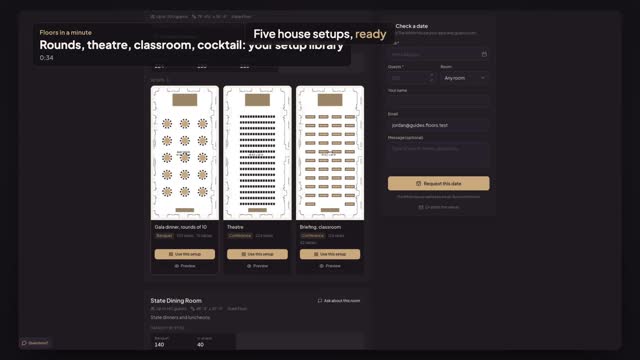
Open Setups in the venue portal. Every setup is a card with the whole room on it, grouped under its space, with its category, seats and tables. A green Published chip means planners see it on your venue page; a Draft stays private until you press Publish.
How do I make a variation of an existing setup?
On the setup's card in Setups, press Duplicate. A copy named with (copy) appears as a draft in the same room, so planners don't see it yet. Press Edit to change it and rename it, then Publish when it's ready. Venue Pro holds 25 setups per space.
How do I see a setup the way planners see it?
Press the eye icon, Preview as planner, on the setup's card. Your public venue page opens on that room, with capacity by style and every published setup. Planners press Use this setup there to start their own event in your room, free, with your locked items fixed.
Transcript
Five house setups, ready for planners to pick.
Your rooms are to scale. Now the setups planners start from.
Open Setups. Every setup shows the whole room, grouped by space.
Gala rounds, theatre and classroom in the East Room. A horseshoe, and a cocktail reception.
Press Duplicate to start a variation. The copy is a draft, hidden from planners.
Press Preview as planner on the gala dinner. Your venue page opens on it.
Planners see every published setup, one click from their own event.
Next: lock what planners can't move.