
Questions this guide answers
How do I change a house setup that's already published?
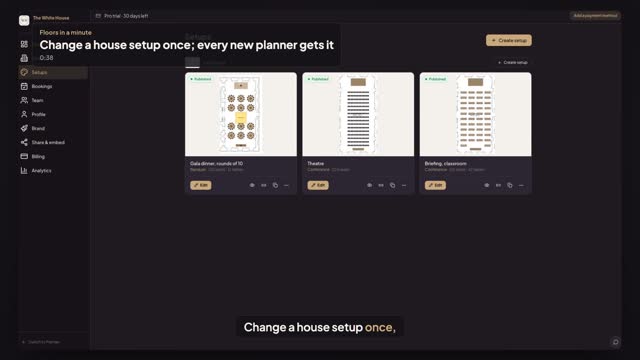
Open Setups in the venue portal and press Edit on the setup. Move, add or delete what you need, then press Update setup and Update. The setup stays published, and the message says planners see the new version; its card in Setups shows the new seat and table count.
Does updating a setup change events planners already started?
No. Planners who start from the setup after you press Update get the new version, on your venue page, your website embed and new bookings. An event a planner already started keeps the copy it was made from, so nobody's plan changes under them.
Can I keep the old layout too?
Yes. Before editing, press Duplicate on the setup's card: the copy stays a draft, hidden from planners, until you publish it. Pro holds 25 setups per space at $79 a month, Starter one space at $49, each with a 30-day free trial.
Transcript
Change a house setup once, for every new planner.
The gala dinner needs a dance floor this season.
Open Setups and press Edit on the gala dinner.
Click the middle row of tables, shift-click the rest, and press Delete.
Add a Dance Floor from Fun, right where they stood.
Press Update setup, then Update. It says planners see the new version, and Setups shows twelve tables.
New planners start from it. Events already started keep theirs.
Next: lock what planners can't move.