
Questions this guide answers
Can I download my venue's house setups?
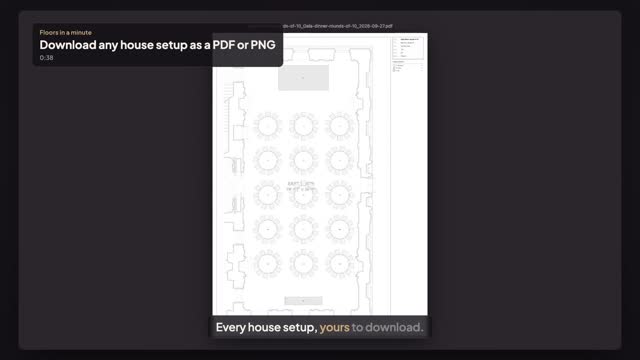
Yes. In the venue portal open Setups, press Edit on a setup, then choose File and Download. Wireframe CAD gives a to-scale sheet with a title block and a legend of what's in the room; Mockup gives the colour view. Press PDF to print or PNG to share, for any setup in any room.
Can I export my setups as data, like CSV or DWG?
Partly. Setups download as PDF or PNG, one setup at a time, and File → Download → Counts (CSV) gives the tables, seats, chairs, linens and items as a spreadsheet. DWG export isn't available. Guest lists are the exception: a planner can export the guest list and the seating chart as CSV files from Seating.
What happens to my setups if my venue plan ends?
Nothing is deleted. Your venue page and published setups stay live for planners, and you can still open every setup read-only and download it as PDF, PNG or Counts. Editing and new setups need an active plan: add a payment method in Billing and every setup is editable again.
Transcript
Every house setup, yours to download.
The White House has five house setups. Take a copy of any of them.
Open Setups and press Edit on the gala dinner.
Open File and choose Download.
Wireframe CAD makes a to-scale sheet. Press PDF to print, or PNG to share.
Here it is: the East Room to scale, every table, the stage, the bar and a legend.
Every setup in every room downloads the same way. Your plans stay yours.
Next: who owns what, you or the planner.