
Questions this guide answers
How do I get table and chair counts for a setup?
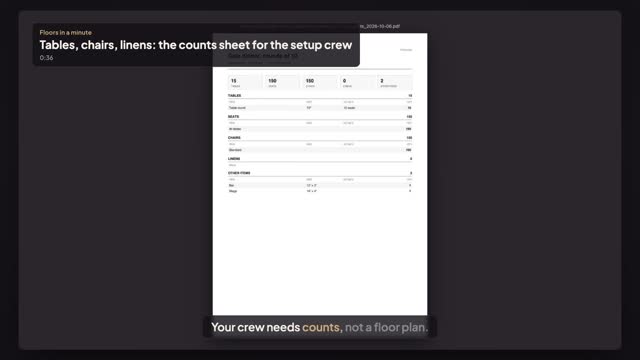
Open the setup, choose File, then Download, and under Counts press Counts (PDF). You get one sheet for the crew: tables grouped by type and size with seats per table, seat and chair totals, linens for every clothed table, and every other item like the stage or the bar.
Can I get the counts as a spreadsheet?
Yes. In the same Download dialog press Counts (CSV). The file lists each section, item, size, details and quantity, with totals, and opens in Excel, Numbers or Google Sheets, so you can add it to a pick list or an order for your rental supplier.
What does the counts sheet include?
Tables by type and size with seats per table, seats in total, chairs by style where chairs are shown, linens by table size, cloth size and colour, and other items such as stages, bars, dance floors and highboys. Hidden objects, notes, people and the building itself aren't counted.
Transcript
Your crew needs counts, not a floor plan.
The gala dinner in the East Room. What does the crew load in?
Open Setups and press Edit on the gala dinner.
Open File and choose Download.
Under Counts, press Counts (PDF). Counts (CSV) opens in a spreadsheet.
Fifteen seventy-two-inch rounds, a hundred fifty chairs, a bar and a stage. Linens count clothed tables.
Every setup, counted for the crew. No more counting chairs on a printout.
Next: download any house setup as a PDF.