
Questions this guide answers
How do I move a house setup from my old tool?
Rebuild it from its report. In Spaces press Create a setup on the room, then Create Template. Place the fixed pieces like the stage and bar from the library, run Smart Layout between them and pick the table size, then Save as template. Venues moving many setups can email the exports to hello@floors.live instead.
Does Floors.live import setups from Prismm or other tools?
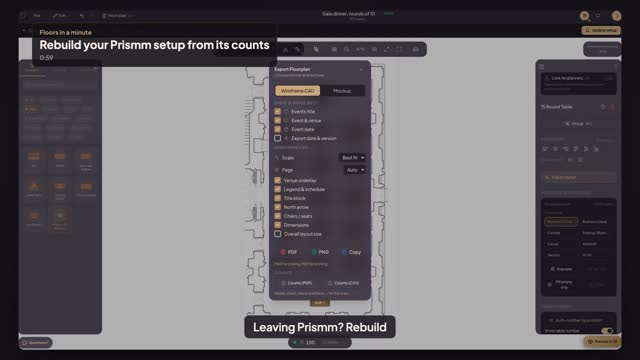
Not as objects. Your old setup comes over as numbers and, if you like, a PDF of the room: you rebuild the tables with Smart Layout in a minute, on the room's own to-scale plan. Positions aren't copied, so check the table count and spacing rather than expecting the exact old drawing.
How do I check the rebuilt setup matches the old one?
Open the setup, choose File, then Download, and press Counts (PDF). The sheet lists tables by type and size with seats per table, chairs, linens and other items like the stage and bar. Compare it line by line with your old setup report; the numbers should match.
Transcript
Leaving Prismm? Rebuild each setup from its report.
Your Prismm setup report: fifteen rounds of ten, a stage, a bar.
Open Setups. Beside the East Room, press Create setup. The room opens to scale.
Place a Stage at the front and a Bar at the back, from the library.
Press Smart Layout and drag between them. Choose Customize setup, then Gala, and type a hundred fifty.
Pick Round Tables, seventy-two inches, ten seats, then Max capacity. Fifteen tables, a hundred fifty seats.
Press Apply Layout, then Save setup and name it. Open File, choose Download, and press Counts (PDF).
Fifteen rounds, a hundred fifty chairs, a stage, a bar. Same as Prismm's report.
Next: give your crew the counts sheet.