
Questions this guide answers
How do I migrate my Prismm floor plans to Floors.live?
Export your floor plans from Prismm as a PDF. In the venue portal open Spaces, press Add floor plan on a room and upload the file. If it has several pages, pick that room's page. Click two marks on its ruler, type the distance and press Apply Scale. Repeat for each room with the same file.
Do my Prismm tables and layouts come over too?
The floor plan comes over as a to-scale drawing; Prismm's tables and objects don't. Rebuild each setup on top with Smart Layout in a minute and check it against your old report with Counts. Venues moving many setups can email their exports to hello@floors.live and we rebuild them for free.
My exported plan has a ruler, not a dimension line. Can I still set the scale?
Yes. Any two points a known distance apart work. Click the ruler's zero mark and another mark, for example thirty feet, then type 30' and press Apply Scale. Longer distances are more accurate, so use the longest stretch of ruler the room shows.
Transcript
Moving from Prismm? Bring every floor plan over.
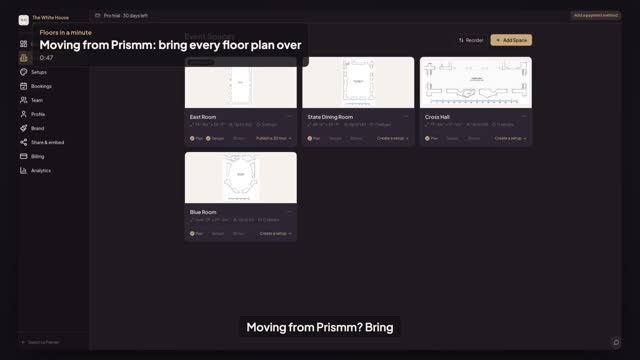
Export your floor plans from Prismm as one PDF. Each room here is a Space.
On the State Dining Room, press Add floor plan, and upload the PDF from Prismm.
Pick this room's page. Drag a box around the room and its ruler, then Crop and continue.
Click the ruler at zero and at thirty-five. Type thirty-five feet, and press Apply Scale.
The Cross Hall: the same file, page three, its ruler zero to seventy-five.
And the Blue Room, page four. Zero to twenty-five.
Every room from Prismm, to scale. Next, rebuild the setups on top.
Next: rebuild your Prismm setup from its counts.