
Questions this guide answers
How do I send one of my house setups in a proposal?
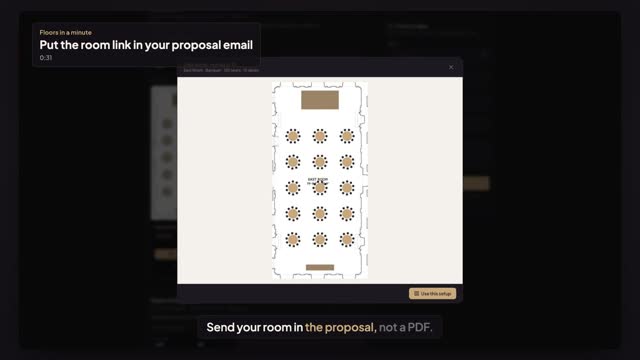
Open Setups in the venue portal and press Copy link on the setup, for example the gala dinner. Paste the link into your proposal email. It opens your public venue page scrolled to that setup, highlighted, with Preview and Use this setup right there.
Does the prospect need an account to see it?
No. Your published venue page and its setups open for anyone with the link, and Preview shows the whole setup with its room, seats and tables. A free Floors account is needed only when a planner presses Use this setup to design their own event in your room.
What if I change the setup after sending the link?
The link points to your published setup, not a copy, so the prospect always sees its current version. Update the setup in the portal and the page shows the new one. Unpublish it and it disappears from the page, and the link opens your venue page instead.
Transcript
Send your room in the proposal, not a PDF.
A prospect asks about a gala dinner for 150.
Open Setups. On the gala dinner, press Copy link.
Paste it into your proposal email. Here's what your prospect sees.
Your page opens on the gala dinner, no account needed.
Preview shows the room set for the dinner: a hundred and fifty seats, fifteen tables.
The link shows your published setup, so it's never out of date.
Next: what a planner sees in your room.