
Questions this guide answers
How many check-in desks do I need?
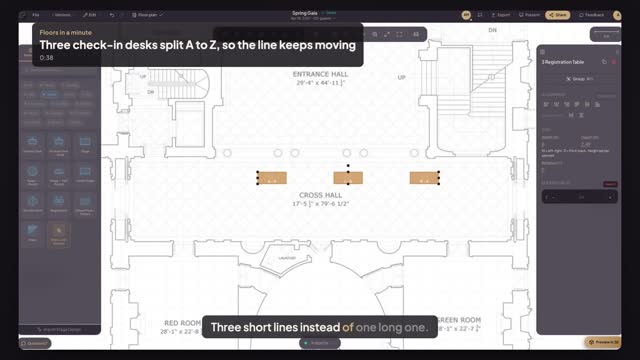
A common rule is one desk for every 100 to 150 guests arriving in the same half hour. Split them by last name, A to H, I to Q and R to Z, so each line moves on its own. Place them where the line can form along a wall, not across the entrance.
How do I label each desk?
Select a desk and type in its Label field in Properties, such as A to H. The label shows on the plan, on the PDF and in the share link, so the venue's staff and your check-in team set up each desk with the right sign before the doors open.
How do I space desks evenly?
Drag a selection box across the desks, press Align top so they sit in one line, then press Space evenly. The two outer desks stay where they are and the ones between them move so every gap is the same. It needs three or more objects selected.
Transcript
Three short lines instead of one long one.
A hundred and twenty guests arrive at seven, through the Cross Hall.
Open Venue, pick Registration, and click three desks along the hall, one for each line.
Type each desk's Label: A to H, I to Q, R to Z.
Drag across all three, press Align top, then Space evenly.
Three desks, even lanes, and a letter over every line.
Next: keep every fire exit clear.