
Questions this guide answers
How do I choose the pixel pitch for an LED wall?
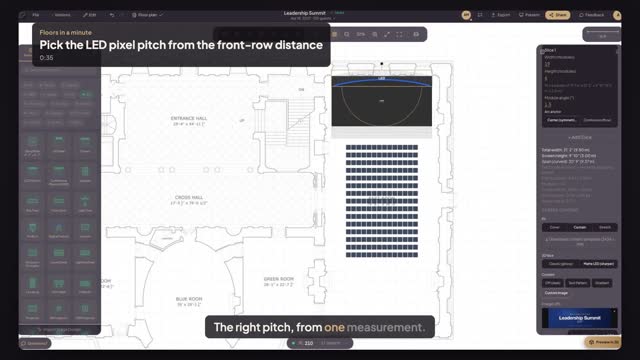
Start from the closest viewer. Press M for Measure in Floors.live and click from the wall to the front row. A common rule is about three feet of distance per millimetre of pitch, so a front row twenty feet away is comfortable at 3.9 and does not need finer, more expensive panels.
Does Floors.live calculate the viewing distance for me?
Not yet. Floors.live gives you the measured distance on the plan and the exact resolution for each pitch, and the rule of thumb does the rest. Measure from the screen to the first row, divide by about three feet per millimetre, and pick the nearest pitch your supplier stocks.
Where do I see the LED wall's resolution?
Click the LED wall. Its properties show the total width and height, the module count and the composition in pixels for the pitch you picked, plus the aspect ratio. Change the pitch and the resolution updates at once, so you can compare 2.6 and 3.9 before you ask for a quote.
Transcript
The right pitch, from one measurement.
The summit's LED wall is up. How fine do the panels need to be?
Press M for Measure. Click the LED wall, then the front row.
Twenty-one feet from the screen to the first guest.
Click the wall and pick Pixel Pitch 3.9. Minimum viewing distance: about thirteen feet.
Twenty-one clears thirteen, so no visible pixels. Below is the resolution your content team designs for.
Panels fine enough for the front row, and nothing finer than you need.
Next: send the content team their pixel map.