
Questions this guide answers
How do I keep a measurement on the floor plan?
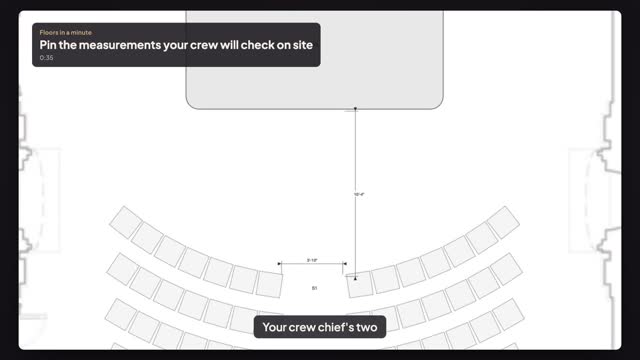
Press M for Measure and click the two points, then press F or Enter to keep it. The measurement becomes a dimension object that stays on the plan, moves with it, shows feet and inches, and prints with your export. Without F, a measurement disappears when you leave the tool.
Which measurements should go on a crew sheet?
The ones the crew will check with a tape on site: stage edge to front row, aisle widths, distance from the screen to the first seats, and anything the venue or the fire marshal asked for. Pin those few, not every distance, so the sheet stays readable.
Do pinned dimensions print in the PDF?
Yes. Open File, then Export, and press PDF. Dimensions you pinned print on the plan with the tables, chairs and stage, at the scale of the drawing, so the crew can check the real room against the sheet on load-in day.
Transcript
Your crew chief's two numbers, printed on the plan.
The summit rows are set. Now give the crew their checks.
Press M. Click the stage edge, then the front row, and press F to keep it.
Measure the center aisle the same way, chair to chair, and press F.
Both stay on the plan as dimensions. Open File, then Export.
Press PDF. The measurements print with the layout.
Your numbers on the crew's sheet, not in someone's head.
Next: five-foot aisles for the fire marshal.