
Questions this guide answers
How do I give the caterer each table's meal choices?
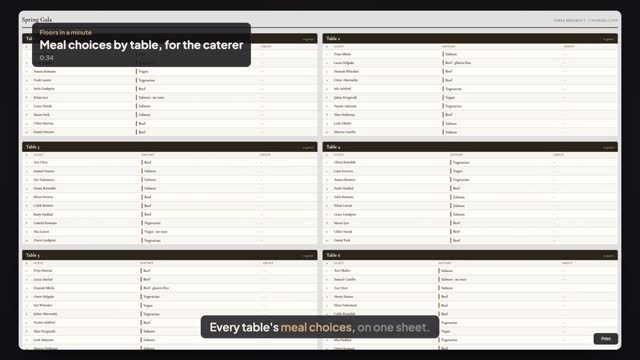
Seat your guests, then in Seating Mode press Export and choose Table Breakout. Keep Dietary notes on and press Open Print Preview. You get one card per table listing every seated guest with seat number, name and the meal or dietary note beside it, ready to print for the kitchen.
Does the Table Breakout count meals for each table?
Not yet. The sheet lists the meal guest by guest at each table, so the kitchen sees exactly who gets what, but it doesn't add up beef, fish or vegetarian per table. For a total by meal, export the Seating Chart CSV and sort or count the Dietary Notes column in a spreadsheet.
Where do I enter a guest's meal choice?
Open the guest in the Seating panel and type the meal in Dietary notes, for example Salmon or Vegetarian, no nuts. Importing a guest list works too: put the meal in a column headed Dietary, and each guest's choice lands in their Dietary notes and on the Table Breakout and place cards.
Transcript
Every table's meal choices, on one sheet.
Alex's gala is seated. Each guest's meal choice is in their dietary notes.
In Seating Mode, press Export, then Table Breakout.
Keep Dietary notes on, and press Open Print Preview.
One card per table. Every guest, their seat, and their meal beside their name.
Meals are listed guest by guest. There are no per-table totals yet.
Next: print place cards from the same plan.