
Questions this guide answers
How do I add one more guest after the list is imported?
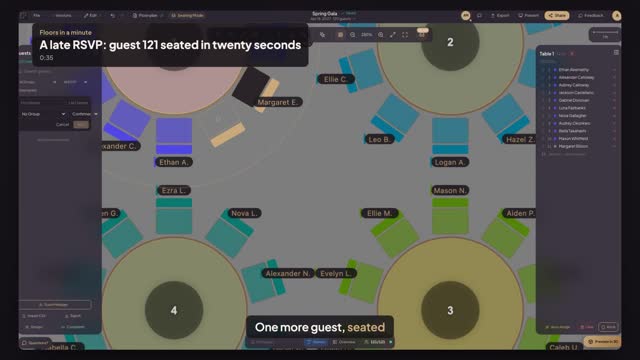
In Seating Mode press Add Guest, type the first and last name, pick the group and the RSVP, and press Add. The guest joins the list as unassigned, and the count at the bottom shows one more guest than seats filled.
How do I seat a guest in a particular chair?
Click the table: the view moves in and the panel lists its seats. Click an empty chair, type a few letters of the name and pick the guest. The chair takes the guest's initials, and the table's list shows the name against that seat number.
Should I run Auto-Assign again for one late guest?
No. Auto-Assign reseats the room unless you keep the existing seats, and one late guest does not need that. Seat the guest by hand in a free chair; if the table is full, add a chair to it first with Seats in Properties.
Transcript
One more guest, seated before the doors open.
A hundred and twenty seated. A late yes just came in.
Press Add Guest and type her name.
Press Add. One guest is now waiting for a seat.
Click table one, then one of its empty chairs.
Type her name and pick it. She is seated.
Turn on Names to read the table.
A hundred and twenty-one guests, every one with a chair.
Next: where is Ms. Gallagher sitting?