
Questions this guide answers
How do I move my guest list from Prismm?
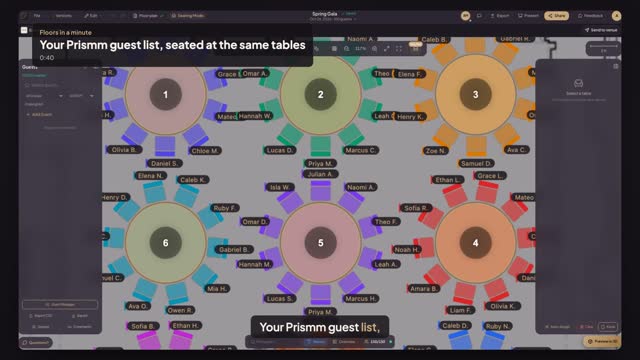
Export the guest list from Prismm as a CSV. In Floors, open your event, turn on Seating Mode and press Import CSV, then drop the file. Floors reads names, party, RSVP, meals and the table column, and seats each guest at the table with that number once you press Import.
Will every guest be at the same seat as before?
At the same table, not the same chair. Guests are matched to tables by number, so number your tables to match the old plan first. If a table number isn't on the plan or a table is full, Floors lists those guests after the import and leaves them unseated so you can place them.
What happens to party size, meals and RSVPs?
Meals and RSVP answers come over with each guest, and Awaiting Response becomes No reply. Party becomes the guest's group. Floors gives each guest at most one plus-one, so larger parties need a row per person; the import tells you which guests have one.
Transcript
Your Prismm guest list, seated at the same tables.
Export your guest list from Prismm as a CSV. Alex's tables are numbered.
In Seating Mode, press Import CSV.
Drop the file from Prismm. Names, parties, RSVPs, meals and tables are all read.
Press Import 150 guests.
A hundred fifty of a hundred fifty, each at their table. Press Done, then Names.
Same guests, same tables, from your Prismm list.
Next: meals by table for the caterer.