
Questions this guide answers
How does a guest check in at the door?
Staff search the guest's name on the kiosk's check-in tablet, tap it and press Mark as Arrived. The tablet shows the guest's table and seat, and the arrived count at the top goes up on every kiosk of the event. A mistaken check-in can be undone from the same screen.
How does the guest get their seat on their phone?
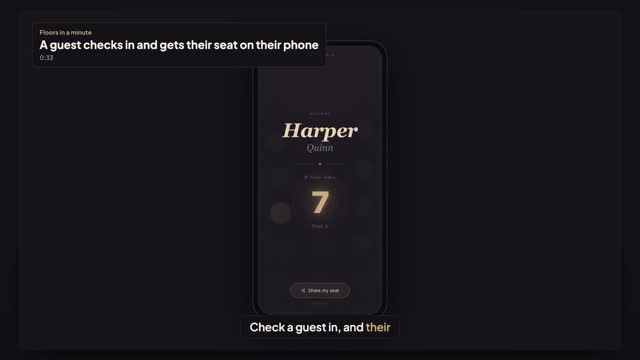
After check-in, the tablet and the welcome screen at the door both show a QR code. Scanning it opens the guest's own seat card in the phone's browser, no app and no account: their name, table and seat, and a small map of the room with their table highlighted.
What does the welcome screen show?
It's the kiosk's Display link, opened on a TV at the entrance. Each check-in at that kiosk welcomes the guest by name, with their table and seat in large type and the QR code for their seat card. It stays on that guest until staff press Next Guest.
Transcript
Check a guest in, and their seat goes to their phone.
The gala has started. Thirty-eight guests are in.
On the check-in tablet, type the guest's name and tap it.
Press Mark as Arrived. The count goes up on every tablet at every door.
The screen at the door welcomes Harper, with the table and a QR code.
One scan, and Harper's seat is on Harper's phone.
No printed list at the door. Table seven, seat three.
Next: build the seating plan from your guest list.