
Questions this guide answers
How do I change the number of seats at a table?
Select the table and type the number in Seats in Properties. A round table takes one number; a rectangle has Seats on the long side and Seats on the short side. The chairs re-space around the table straight away, and the seat count in the summary updates with them.
Can I change several tables at once?
Yes. Click the first table, then Shift-click every other one you want, and set Seats once. Every selected table changes together and the rest keep their own count. To change every table, press Command A first, which selects everything in the plan.
Will twelve chairs fit at a 72-inch round?
Twelve fit around a 72-inch round, tightly, and ten fit comfortably; a 60-inch round seats eight to ten. Floors spaces the chairs evenly around the table, so you can see in 2D and in 3D whether twelve leaves your guests enough elbow room.
Transcript
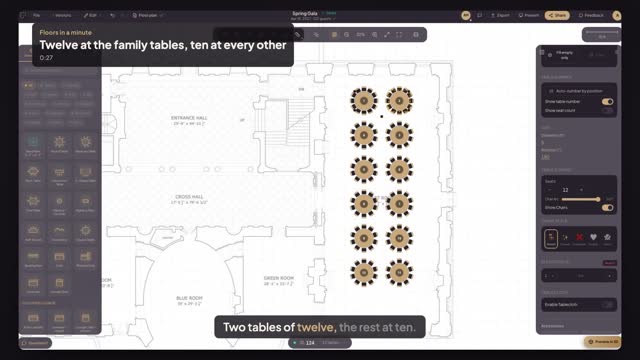
Two tables of twelve, the rest at ten.
A hundred and twenty seats at rounds of ten. The families need more.
Click the first family table, then Shift-click the second.
Set Seats to twelve. Both tables change at once.
Check the total: a hundred and twenty-four seats.
The families sit together; nobody else lost a chair.
Next: number the tables front to back.