
Questions this guide answers
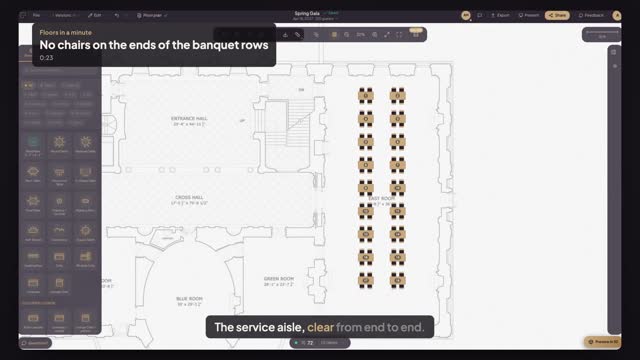
How do I remove the end chairs from banquet tables?
Select the tables, or press Command A for all of them, and set Seats (Short Side) to zero in Properties. Every selected table loses its end chairs at once, and the seat count in the summary updates. Set it back to one to put the end chairs back.
Why leave the ends empty?
End chairs sit in the aisle servers use, and guests there face sideways to the stage. Clearing them is the quickest way to open a service lane without moving a single table. It also helps when rows are pushed end to end into one long king's table.
Can I set different seats on each side?
Yes. Seats (Long Side) sets the chairs along each long side and Seats (Short Side) the ends. One-Sided Seating puts chairs on one long side only, for a head table or a row facing a stage. The chairs re-space along every side as soon as you change a number.
Transcript
The service aisle, clear from end to end.
Option B's banquet rows have chairs on every end.
Press Command A to select every banquet table.
Set Seats (Short Side) to zero.
Check the aisle and the new total in the summary.
Servers walk the full row, and you know every seat lost.
Next: swap every round for a smaller one.