
Questions this guide answers
How do I start my plan from a venue's setup?
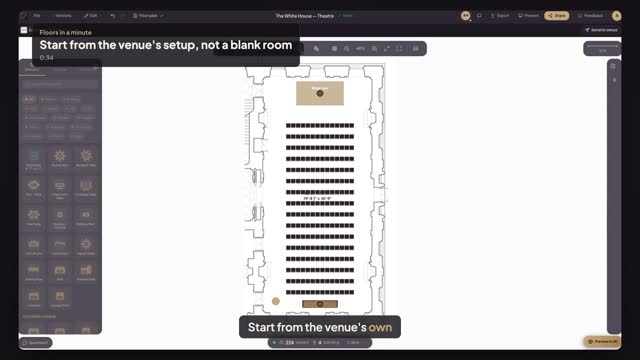
Find the venue in the Floors venue directory, open its page and look under each room for its house setups. Press Use this setup on the one closest to your event. A new event opens in your editor, in the venue's scaled room, with that setup's tables, chairs, stage and bar.
Do I need an account to use a venue's setup?
You can look at the venue page and preview every setup without one. To press Use this setup and design your own event in the room, sign in or create a free Floors account; the page brings you straight back to the setup you picked.
Will my changes change the venue's setup?
No. Use this setup gives you your own copy of the room and its setup. Move, add or remove anything the venue hasn't locked; the venue's published setup stays as it is for the next planner. When you're done, you can send your plan to the venue for approval.
Transcript
Start from the venue's own setup, not a blank room.
Alex is planning a talk in The White House's East Room.
Search the Floors venue directory for White House, and open it.
Each room lists the venue's setups. On Theatre, press Use this setup.
Your event opens in the real East Room, to scale: rows, stage and bar in place.
Pick Highboy and click by the door for the welcome drinks.
The venue's room and seats, ready. Now make it your event.
Next: why some items won't move.