
Questions this guide answers
How do I move something a precise distance?
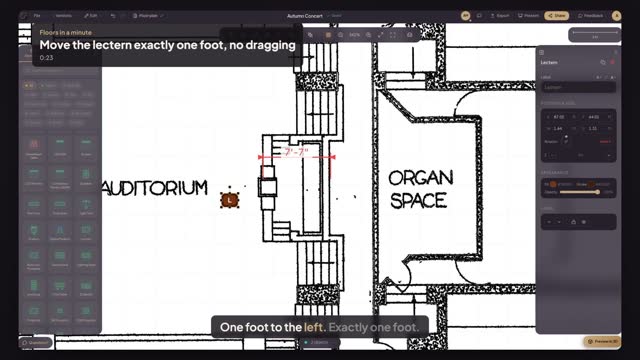
Select it and use the arrow keys. On a plan in feet each press moves one inch, and Shift with an arrow moves one foot. It works on several selected objects at once. The same keys work on a whole selection, such as a row of chairs or a group, and every press is one undo step.
Why use the keys instead of dragging?
A drag snaps to whatever is nearby and is hard to stop at an exact spot. The keys move a known distance every time, so you can say the lectern moved one foot and know it is true. It also works mid-show, when a speaker asks for the lectern a little closer.
Can locked objects be nudged?
No. Locked objects stay put when you press the arrows, so a stage or a venue-fixed bar never shifts by accident. Unlock it first if it really has to move. Locking is a good habit for anything the venue has fixed, such as a built-in bar or a stage.
Transcript
One foot to the left. Exactly one foot.
The lectern stands too close to the platform steps.
Click the lectern to select it.
Hold Shift and press the left arrow. Each press moves it one foot.
Press the right arrow twice to bring it back two inches.
Placed to the inch, without a single drag.
Next: will the grand piano fit on the platform?