
Questions this guide answers
How do I rotate something to an exact angle?
Select it and click the middle of the Rotation dial in Properties, type the angle and press Enter. Dragging the dial with Shift held snaps to every 15 degrees; R and L turn the selection 90 degrees. The angle shows on the dial, so you can check it later.
Why angle a corner bar?
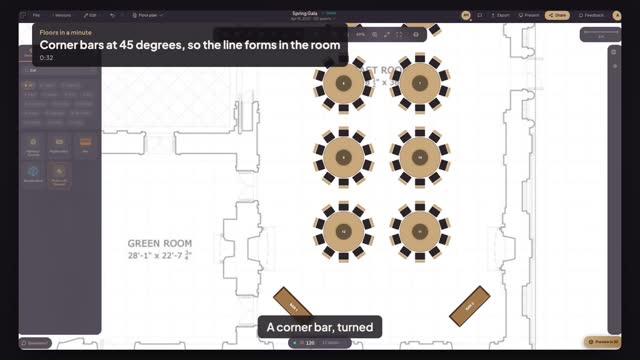
A bar square to the corner sends its line along the wall and into the nearest door. At 45 degrees the bar faces the room, the line forms in open floor and both bartenders can see the whole crowd. Leave about ten feet of open floor in front of each bar for the line.
Can I rotate several objects to the same angle?
Yes. Select them and type the angle in Rotation; each one turns about its own centre. To turn a whole group as one piece, group it first with Command G. Copy an angled bar with Command D and the copy keeps the same angle, so a matching bar in the other corner takes one keystroke.
Transcript
A corner bar, turned to face the whole room.
The bar sits flat against the corner. The line blocks the door.
Search bar, pick Bar, and click the corner.
Click the middle of Rotation and type forty-five.
Press Command D and drag the copy to the opposite corner.
Type three fifteen in Rotation, so it mirrors the first.
Two bars facing the room, and the doors stay clear.
Next: line the highboys up with the columns.