
Questions this guide answers
How do I make two tables move together?
Select both, by dragging a box across them or Shift-clicking each, then press Command G, or Control G on Windows, or choose Group from the right-click menu. The group moves, rotates and copies as one, so a head table made of two tables never opens a gap.
How do I change one table inside a group?
Right-click the group and choose Edit inside group, then click the table you want to change; press Escape to step back out. To break the group up for good, select it and press Command Shift G, or choose Ungroup from the right-click menu.
Can I group chairs, décor and tables together?
Yes. Anything you can select can go into a group: a head table with its centerpieces, a stage with its lectern and monitors, a bar with its back bar. Copy the group with Command D to repeat the whole set somewhere else in the room.
Transcript
A twelve-foot head table that never splits apart.
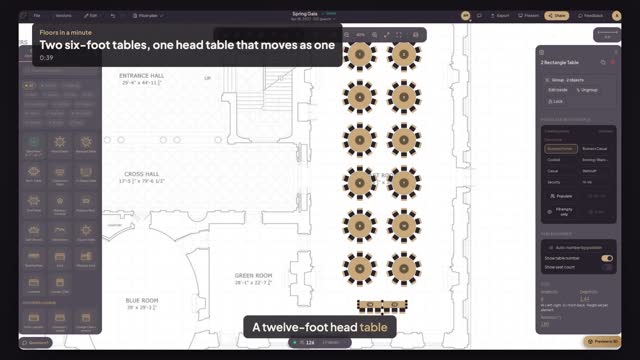
The gala needs a head table: two six-foot tables, end to end.
Pick Classroom Table, chairs on one side, and click twice, end to end.
Drag across both tables, then press Command G to group them.
Press R twice. The chairs turn to face the room, together.
Drag the head table anywhere. It moves as one, no gap.
One head table, twelve feet, moved in a single drag.
Next: number the tables front to back.