
Questions this guide answers
Can I show my client the view from their own seat?
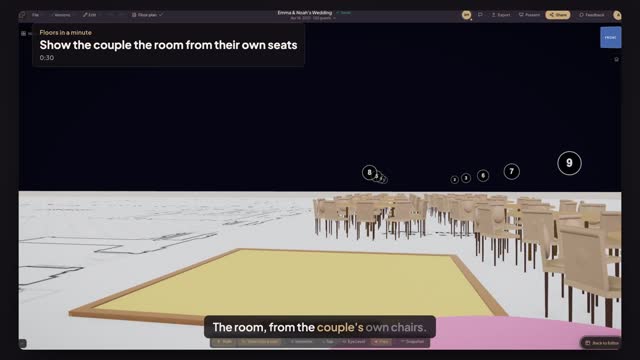
Yes. Open Preview in 3D, press View from a seat and click their chair. The camera sits at seated eye height in that chair, facing the focal point, so the client sees the dance floor and the other tables as they will on the day. Standing switches to a standing guest's eyes.
Can the share link open on that view?
Yes. Press Save this view and the share link opens there, so your client's first look at the room is from their own seat rather than from above. You can still move around afterwards or go back to the overview.
Why show a seat view instead of the overview?
Clients judge a room from where they will sit, not from above. A seat view answers the questions they really ask, whether they can see the stage, how close the dance floor is and who sits in front of them, before they ever walk into the venue.
Transcript
The room, from the couple's own chairs.
The couple sit at the sweetheart table. Show them their view.
Open Preview in 3D, find the couple's table, and press View from a seat.
Click a chair at the sweetheart table. You sit at a seated guest's eye height.
Press Save this view. Share links now open right here.
Their first look at the room is the one they'll have on the day.
Next: a 4K still for the proposal.