
Questions this guide answers
How do I plan a wedding reception floor plan with a dance floor?
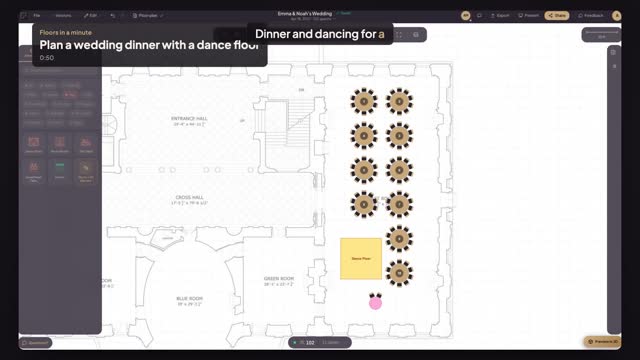
Place the dance floor and the couple's sweetheart table first, from the Fun section of the library. Then press Smart Layout, drag across the room where tables can go, choose Customize setup and Wedding, and enter your guest count. Smart Layout fills the space with round tables and keeps the dance floor clear.
How many round tables do I need for 100 wedding guests?
At ten seats per table you need ten round tables for 100 guests. In Floors.live, Smart Layout works this out from your guest count and table size, places 72-inch rounds of ten across the room at true size, and shows the seat total, so you can see at once whether everything fits with room to dance.
Can Smart Layout work around a dance floor and a sweetheart table?
Yes. Anything already placed on the floor plan, such as a dance floor, a sweetheart table or a bar, is treated as taken space. Smart Layout arranges the guest tables around those pieces instead of on top of them, so the dance floor stays clear and the couple's table keeps its spot.
Transcript
Dinner and dancing for a hundred, in one minute.
A wedding in the East Room. The plan is already to scale.
Open Fun. Drop a Dance Floor at the far end, and a Sweetheart Table beside it.
Press Smart Layout and drag across the room where tables can go.
Choose Customize setup, then Wedding, for a hundred guests.
Pick Round Tables, seventy-two inches, ten seats each, in a grid. Then Max capacity.
Ten tables, a hundred seats, and the dance floor kept clear. Press Apply Layout.
Every table at true size, with room to dance.
Next: share it with your client.