
Questions this guide answers
How do I add uplights to the dance floor?
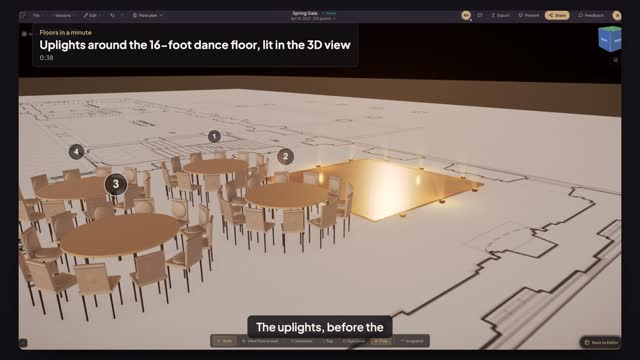
Click the dance floor, turn on Lighting under Decor Accessories and press Edit. Pick Uplighting, set the colour and press Apply. A sixteen-foot floor gets twelve lights, three a side; they show on the plan and in the 3D view, so the client sees them before the order.
Why can I not see the lights in 3D?
In a daylight room the uplights are faint, as they are in a real one. Open Atmosphere in the 3D view and pick an evening look such as Candlelight: the room dims and the light on the floor shows. Save the view to share it.
Can I change the colour of the uplights?
Yes. In the Lighting picker, click the colour code and type the one you want, or use the colour well beside it. An arch or a chuppah offers more styles in the same picker: String Lights, Pin Spot, Candle Cluster and LED Strip. A dance floor takes uplighting.
Transcript
The uplights, before the client pays for them.
A sixteen-foot dance floor. In daylight it is just a floor.
Click the dance floor.
Under Decor Accessories, turn on Lighting and press Edit.
Pick Uplighting, type the colour, and press Apply: twelve uplights ring the floor.
Open Preview in 3D, then Atmosphere, and pick Candlelight. The room dims and the uplights show.
The floor glows, and the client sees what the lights buy.
Next: light it like the evening.