
Questions this guide answers
How do I lay out tiered seating?
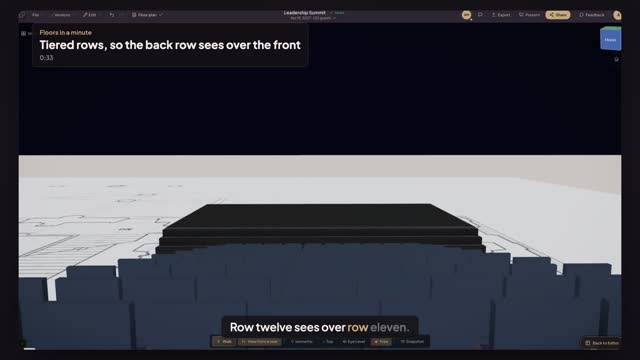
Place one Seating Row where the front row goes. In its Properties, under Deploy a block, set how many rows and the row pitch, turn on Tiered riser and set the step per row, then press Deploy. Every row behind the first stands one step higher than the row in front.
How high should each riser step be?
Enough for the eyes in one row to clear the heads in the next: six to eight inches a row is common with a 36-inch row pitch. Twelve rows at eight inches put the back row over seven feet up, so plan stairs, rails and the venue's ceiling height too.
How do I check the back row can see?
Open the 3D view and look from a back-row seat toward the stage. If the front rows or a column hide the speaker, raise the step per row or the stage, or move the block back, and check again. Fixing it on the plan costs nothing; fixing it on the day costs a riser.
Transcript
Row twelve sees over row eleven.
A town hall on the East Room's flat floor. Twelve rows deep.
Open Seating, pick Seating Row, click in front of the stage, and press R twice to face it.
Under Deploy a block, set twelve Rows and a Row pitch of thirty-six inches.
Turn on Tiered riser, eight inches a row, and press Deploy.
The back row sees the whole stage, clear over every row in front of it.
Next: put front of house on the center line.