
Questions this guide answers
How do I change which way a door opens?
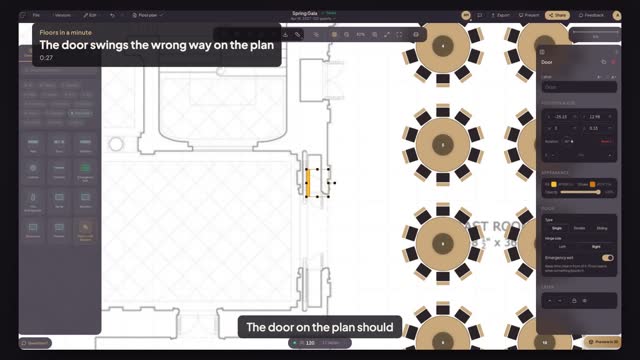
Select the door and set Hinge side to Left or Right in Properties. To make it open into the other room instead, press R twice to turn it around. Type switches between a single, double or sliding door. The swing arc on the plan follows the setting.
How do I mark a fire exit?
Select the door and turn on Emergency exit. Floors then treats it as an exit and warns you when a table or other object is placed in front of it, so the path stays clear on the plan you send.
Why does the swing matter?
A door's swing takes floor space. A table placed in that arc blocks the door the moment it opens, which is exactly what the fire marshal checks, so draw the swing the way the real door opens. It also tells the crew which way to roll cases through.
Transcript
The door on the plan should swing like the real one.
The plan shows the Cross Hall door hinged on the wrong side.
Open Structure, pick Door, click the gap in the wall, and press R.
Set Hinge side to Right. Now it swings the way the real door does.
Turn on Emergency exit.
The plan's door matches the room, and it stays clear.
Next: the head table on a riser.