
Questions this guide answers
How do I copy something into another version?
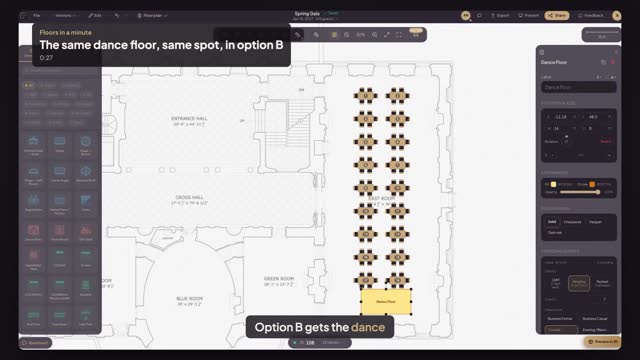
Select it and press Command C, open Versions and choose the other version, then press Command V. When you paste into a different version, the objects land at exactly the same position, so a stage, bar or dance floor sits on the same spot in every option you show the client.
Does the copy stay linked to the original?
No. The pasted object is independent: change its size or finish in one version and the other stays as it was. If both options should always match, finish the shared pieces first, such as the stage, bar and dance floor, and then duplicate the version.
Can I paste into a different event?
Copy and paste works between versions while the editor stays open. To start another event from a whole layout, use Duplicate to My Events in the Versions menu instead, which copies the full plan with every object into a new event of its own.
Transcript
Option B gets the dance floor, to the inch.
The client approved the dance floor in option A. Option B needs it too.
Click the dance floor in Version 1 and press Command C.
Open Versions and choose Version 2.
Press Command V. It lands on the very same spot.
Two options, one dance floor, compared like for like.
Next: mark the fire exits.