
Questions this guide answers
When does the free editing clock start?
Every account gets ten minutes of free editing in total. The clock starts at your first real edit, like uploading a plan or placing a table, never on page load. It only counts while you work in the editor tab: switch tabs or close the editor and it pauses.
What happens when my free minutes run out?
Nothing is lost. Your event and its floor plan stay saved, and you can still open, view and share them. Only editing pauses. In the last four minutes the Preview bar shows how much time is left, so the moment never comes as a surprise.
How do I keep editing after the free minutes?
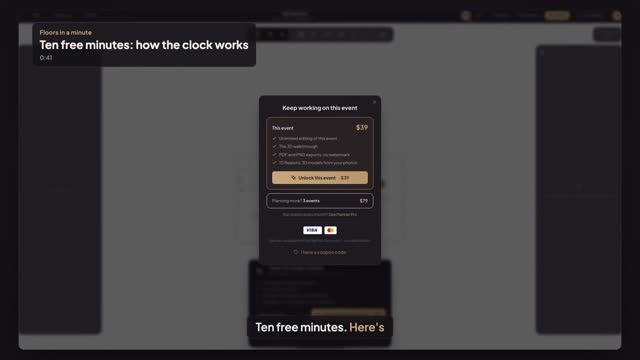
Press Unlock this event on the bar, or Keep editing this event on the sheet that opens at zero. One event costs $39, paid once, whatever the guest count, and stays editable for good. Planning more? Three events cost $79, to use whenever you like.
Transcript
Ten free minutes. Here's how the clock works.
Every account gets ten minutes of free editing.
The clock starts at your first real edit. Preview event means it's running.
It counts only while you work in the editor. Leave the tab, and it pauses.
In the last four minutes, the bar shows what's left.
At zero, nothing is lost. The plan stays saved, and you can still view and share it.
To keep going, press Keep editing this event. thirty-nine dollars, paid once.
One price for this event, editable for good. No subscription.
Next: what thirty-nine dollars includes.